What is Doppio
Doppio is live polling for Google Slides. You build interactive questions right inside your deck, and when you present, your audience answers from their phones while you choose when and where to show the results.
What you need
Presenting takes Chrome on a computer: the Doppio extension runs the show from your browser. Your audience needs nothing but their phones.
Why it exists
Most polling tools live outside your presentation. You switch windows, your branding evaporates, and the room waits. Doppio keeps everything in Slides: your fonts, your theme, your flow.
- No second screen to manage. Your live content lives inside your slide, exactly where you put it.
- No app for the audience. They scan a QR code and vote in their browser. Nothing to install, nothing to sign up for.
- No babysitting. When you move slides, your audience's phones move with you.
- No lost handouts. Takeaways put your links and notes straight onto every phone in the room.
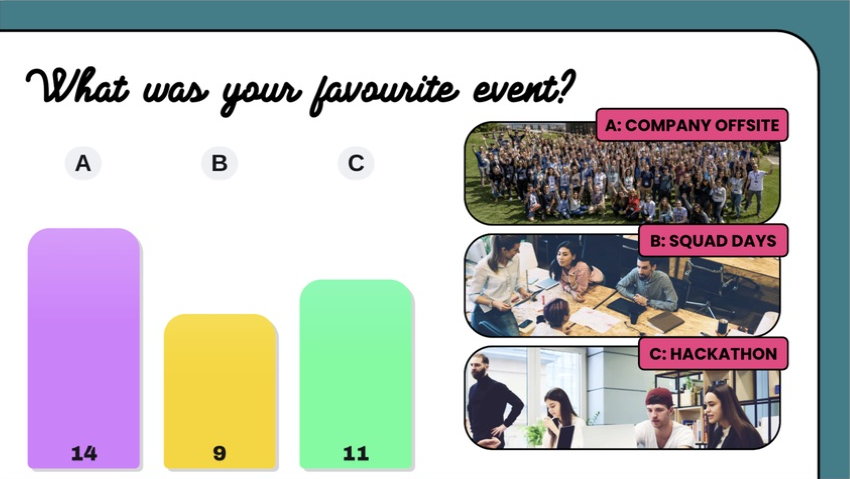
The chart, heading and photographs work together on one slide. The numbers here are editor preview examples.
What you can add
| Item | What it gives you |
|---|---|
| Poll | A multiple-choice question with one or several selections per person, flexible countdowns and reveal timing. |
| Takeaway | A note and links on audience phones. |
| Timer | A countdown for an activity or break, with optional instructions and resources. |
| Results from another poll | Votes from a previous question displayed on a different slide. |
Style your polls with six chart layouts and nine colour palettes. Copy items or share your event when preparing a deck with colleagues.
Who it's for
Workshop facilitators, teachers, conference speakers, and team leads. Anyone who would rather hear from the room than talk at it.
Ready for your first shot? Head to Getting started, then follow Your first poll, step by step.